Install FlyWheel in the Claude desktop app
Last updated · 2026-07-22
You don’t need a terminal to install FlyWheel. If you use the Claude desktop app, you can add the plugin entirely from the interface. It takes three clicks and a paste.
The plugin is the same one the terminal commands install: nine marketing agents, guided onboarding, and the connector, in one bundle.
1. Open the plugin menu
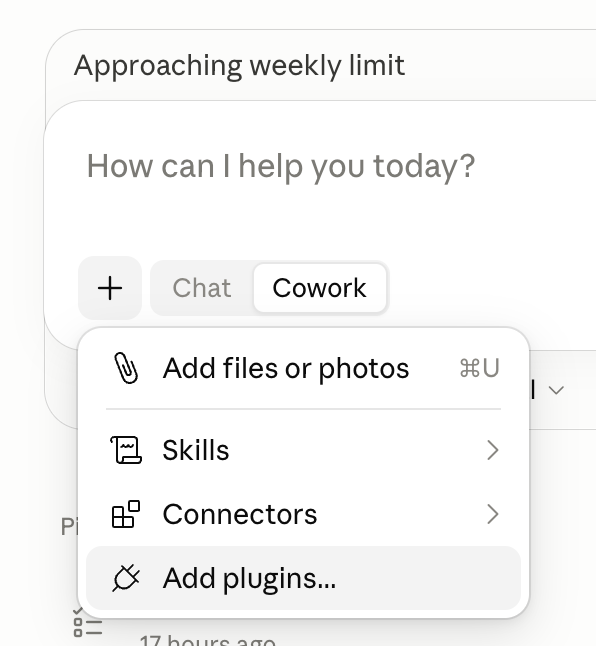
In the chat box, click the + button, then choose Add plugins… from the menu.
2. Add a marketplace
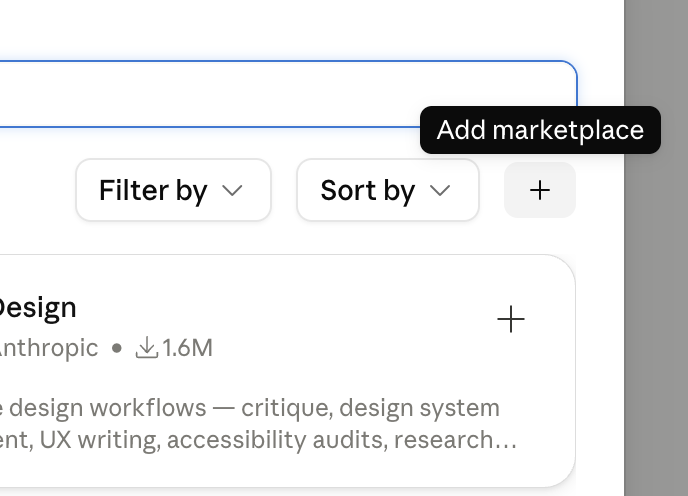
The plugin browser opens. To the right of the search field — past Filter by and Sort by — click the small + button. Its tooltip reads Add marketplace.
3. Add from a repository
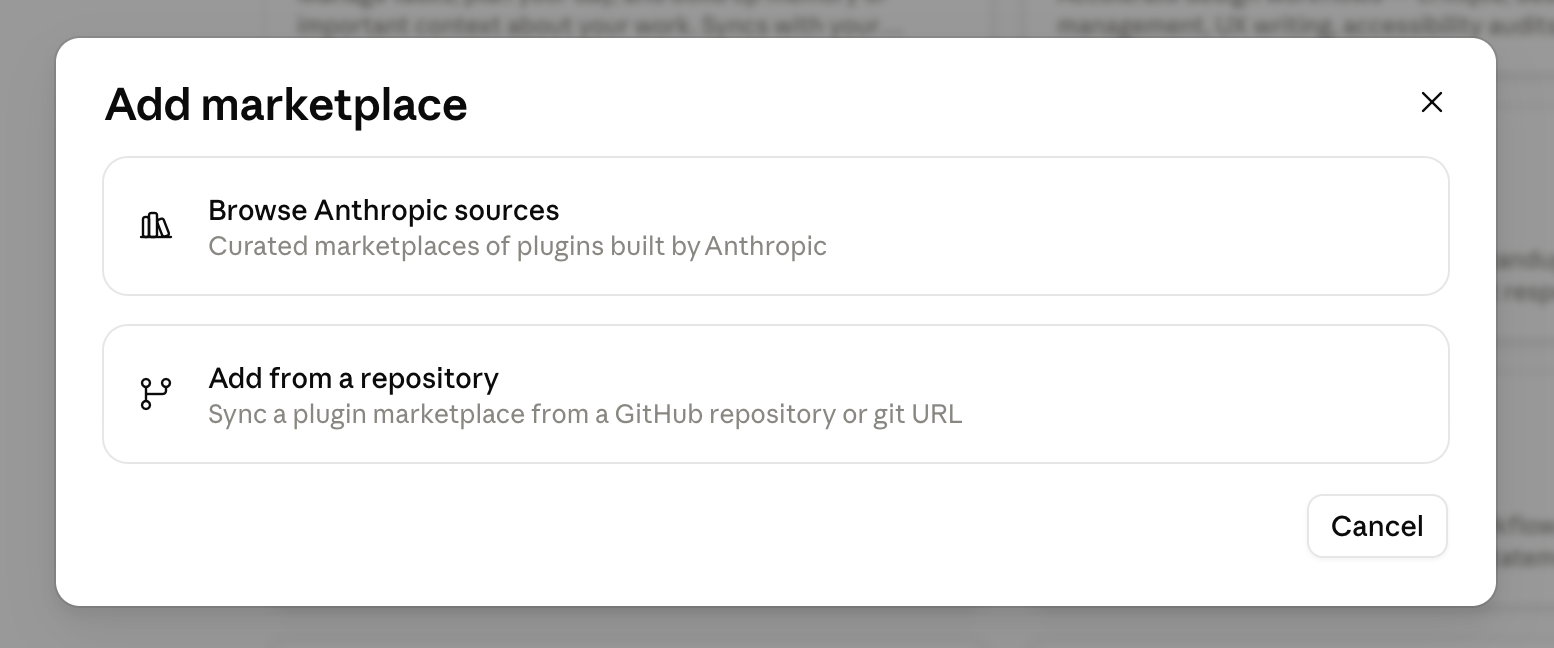
In the Add marketplace dialog, choose Add from a repository (“Sync a plugin marketplace from a GitHub repository or git URL”). (Ignore “Browse Anthropic sources” — that’s for Anthropic’s own marketplaces.)
Paste this repository:
FlyWheelAgents/flywheel-marketing-plugin
Once the marketplace is added, find flywheel in the list and click install. That’s it — the marketing agents and the connector are now available.
Then get set up
Start onboarding by running /flywheel:get-started in a new chat. It walks you through defining your company and brand, then opens a browser sign-in (email and a 6-digit code). New accounts are enabled by an admin — you’ll get an email, usually within a business day, and the agents and skills work while you wait.
Using the Claude chat app instead?
The plain Claude chat app (not Claude Code) can’t install plugins — the plugin system is exclusive to Claude Code surfaces. You can still add the raw connector for ad-platform access, minus the marketing agent team: go to Settings → Connectors → Add custom connector and paste the endpoint URL https://connector.flywheelagents.com/api/mcp.
Prefer the terminal? The two /plugin commands and the shell one-liner are on the home page.